The client calls to ask if the job is done
Every one of those calls is time you could have spent on work that makes money, not on explanations.
If you run a cleaning company and you're still relying on paper, Excel, or WhatsApp groups — every missed appointment, every "is it done yet?" call, and every worker who leaves taking all the knowledge with them costs you something. This portal manages the schedule, records every completed job with a photo and timestamp, and gives clients real-time visibility — no phone calls, no paper, no guessing.
Book a demoScheduling, job assignment, and reports in one place — not scattered across messages.
Photo, time, and note for every completed job — a record that stays.
They log into their account and see if cleaning is up to date — no calling you.
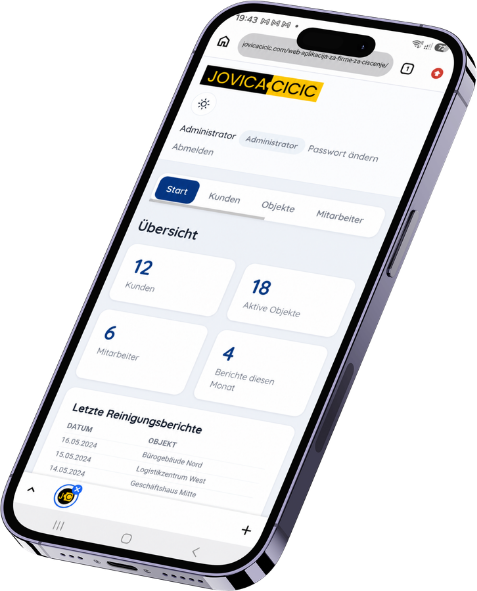
Every one of those calls is time you could have spent on work that makes money, not on explanations.
Messages get lost, photos get mixed up, and no one knows where the latest version of the schedule is.
Property history, scheduling, and client agreements often exist only in that person's head.
The client claims the job wasn't done properly — and you have nothing to push back with.
Every client has their own account and sees the cleaning status for every property in real time — a traffic light shows whether cleaning is up to date or overdue, no phone calls, no waiting for a reply.
The admin builds a flexible schedule per property — one or more days a week, weekly / every 2 / every 4 weeks, or a one-off special visit — and everyone sees it in their account.
The admin transfers all of a worker's assignments to another one in a single move, without losing history — the new worker instantly sees the schedule and properties as if they'd always had them.
The worker marks the job as done and adds photos and a note right from the field — that record stays permanently tied to that property and date, ready if it's ever needed.
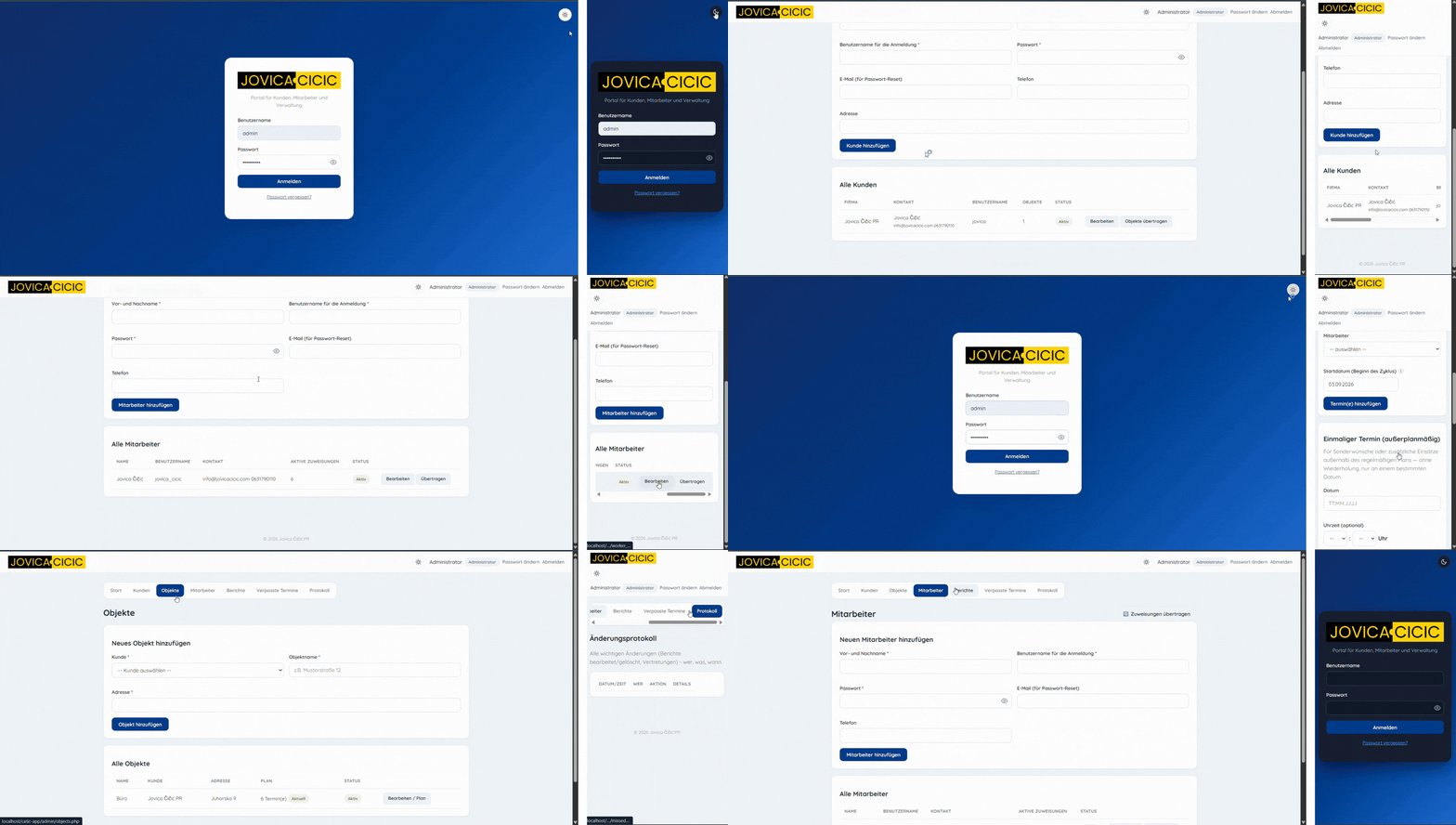
Schedule, properties, and reports on one screen.
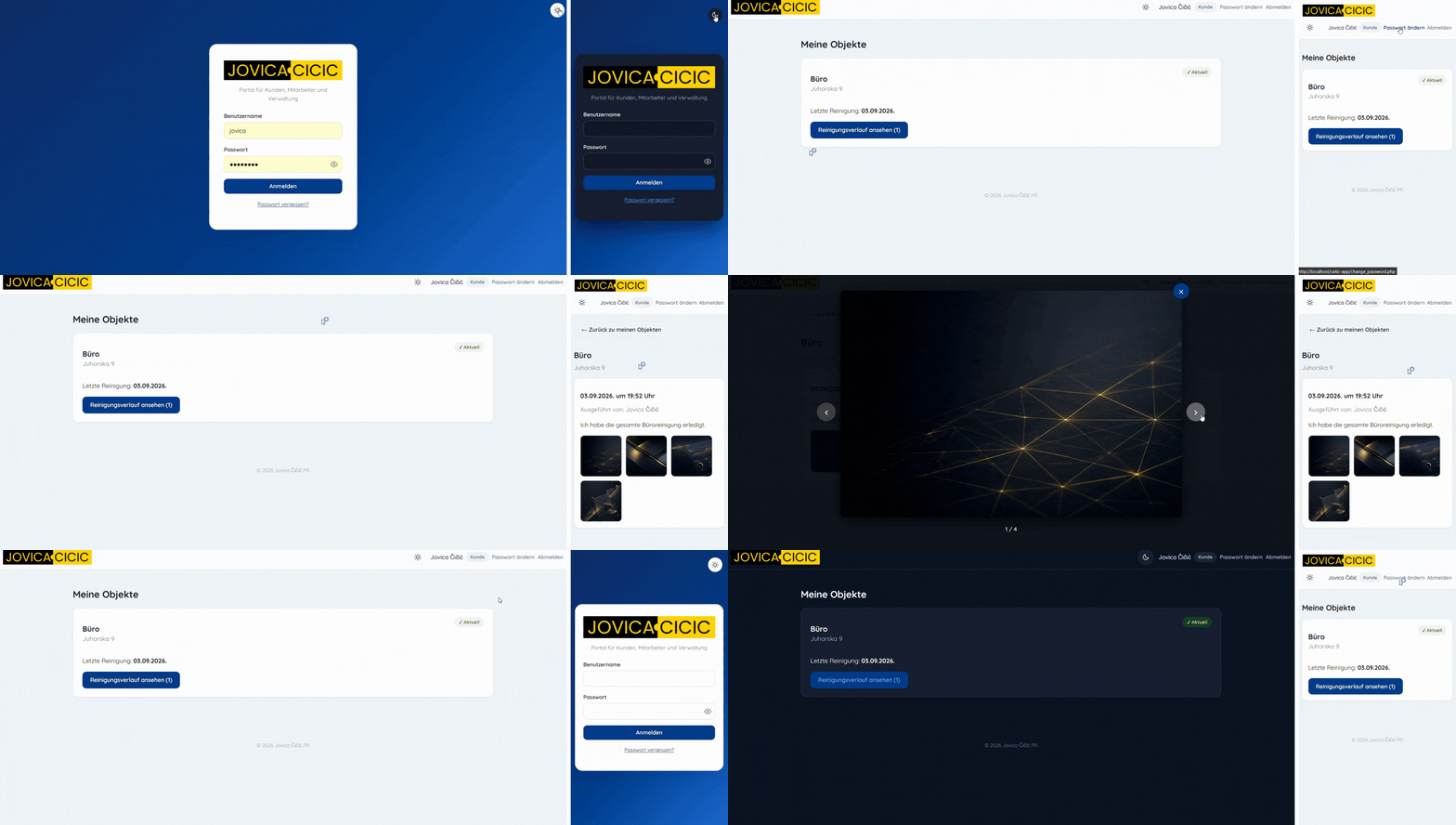
Traffic-light status for every property, no phone calls.
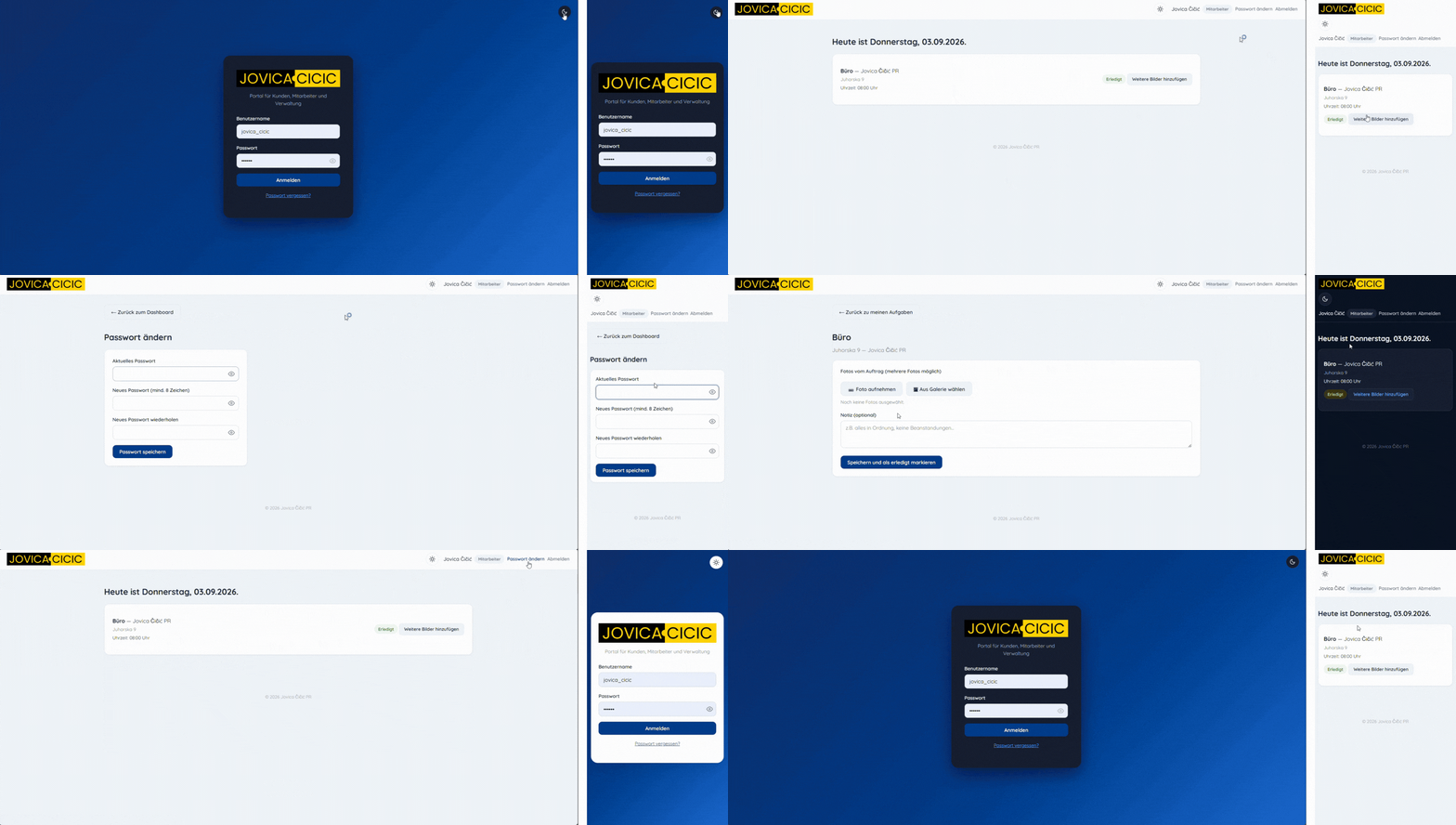
Just today's jobs, one tap for a photo.
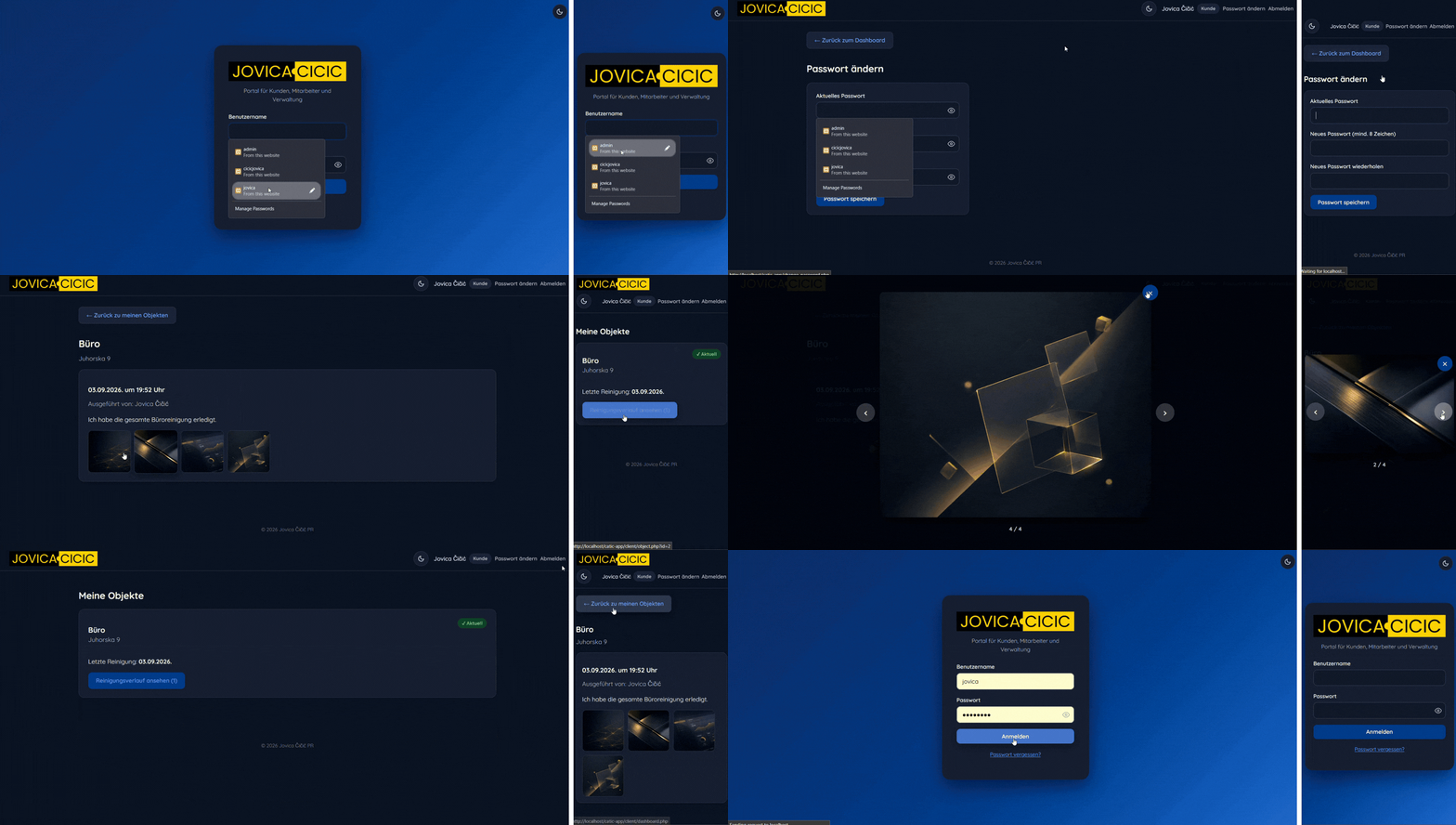
Cleaning history for their property only.
Encrypted passwords, protection against automated break-in attempts, theft-resistant sessions, mandatory first-login password change.
No Google Fonts, no Google Maps, no loading from third-party servers — faster loading and full control over data on your own server.
The worker in the field under the sun, the admin at a desk in the evening — the system adapts, not the user's eyes.
Works equally well on phone and computer — no installation required.
Weekly, every 2 or 4 weeks, or a one-off visit — plus a temporary worker substitution for just one day, without touching the fixed schedule.
Your company's logo and colors are built into the entire system — it looks like you built it yourself.
| Area | Before the web app | After the web app |
|---|---|---|
| Whether the job got done | The client calls and asks, you check manually | The client sees the status themselves, in real time |
| Communication with workers | WhatsApp groups, messages get lost | Every worker sees their schedule for the day |
| A worker leaving the company | Data and history leave with them | Assignments and history are transferred to another worker |
| Proof for a complaint | Their word against yours, no evidence | Photo, time, and note for every job |
| Client contact person changes | Property history often gets lost or overwritten | The property transfers to the new account without losing history |
| Impression on clients | Paper, Excel, phone calls | A professional portal with your brand |
No external library or CDN — data is never sent to third-party services, the system runs entirely on your own server.
Encrypted passwords, protection against brute-force break-in attempts, theft-resistant sessions, and a show-password option while typing to avoid mistakes.
A complete log (audit trail) of every change in the system — you know exactly who changed what and when.
Can be added later, if needed:
Basic is finished and available right away. Custom is built exactly around your needs — scope and price are agreed before work begins.
The Basic package is a one-time build for €300, no monthly subscription — pay once, use it for good. The Custom package is built by agreement, depending on which extra features you need.
No. The system runs entirely through a web browser, on phone and computer — clients just need to log into their account, no installation required.
The admin transfers all of that worker's assignments and schedule to another one with a single click, without losing history. Properties and appointments stay unchanged — only who carries them out changes.
Yes, if the company enables it. The tenant gets their own account tied to their specific property and sees the cleaning history only for that property — this option isn't mandatory.
No. The interface is designed to be clear for everyone at the company — admin, field workers, and clients — with no IT training needed.
Yes. The design is fully responsive — the field worker uses their phone, the admin often uses a computer, and both experiences are equally clear and fast.
Yes. Passwords are encrypted, the system is protected against automated break-in attempts, and data stays on your own server — never sent to external services or CDNs.
Yes. Your company's logo and colors are built into the entire system, so to clients it looks like you built your own portal, not a generic third-party tool.
The admin can assign a substitute for that one specific day without changing the fixed schedule at all — the system automatically reverts to the usual pattern afterward.
The best way to know if you need this is to see it working live.
Book a demo© JOVICA ČIČIĆ PR . All rights reserved.